Forum, a Facebook app
- 4.5
- Rating
- 100.00K
- Installs
- Free
- Price

 Analysis by App-foxy
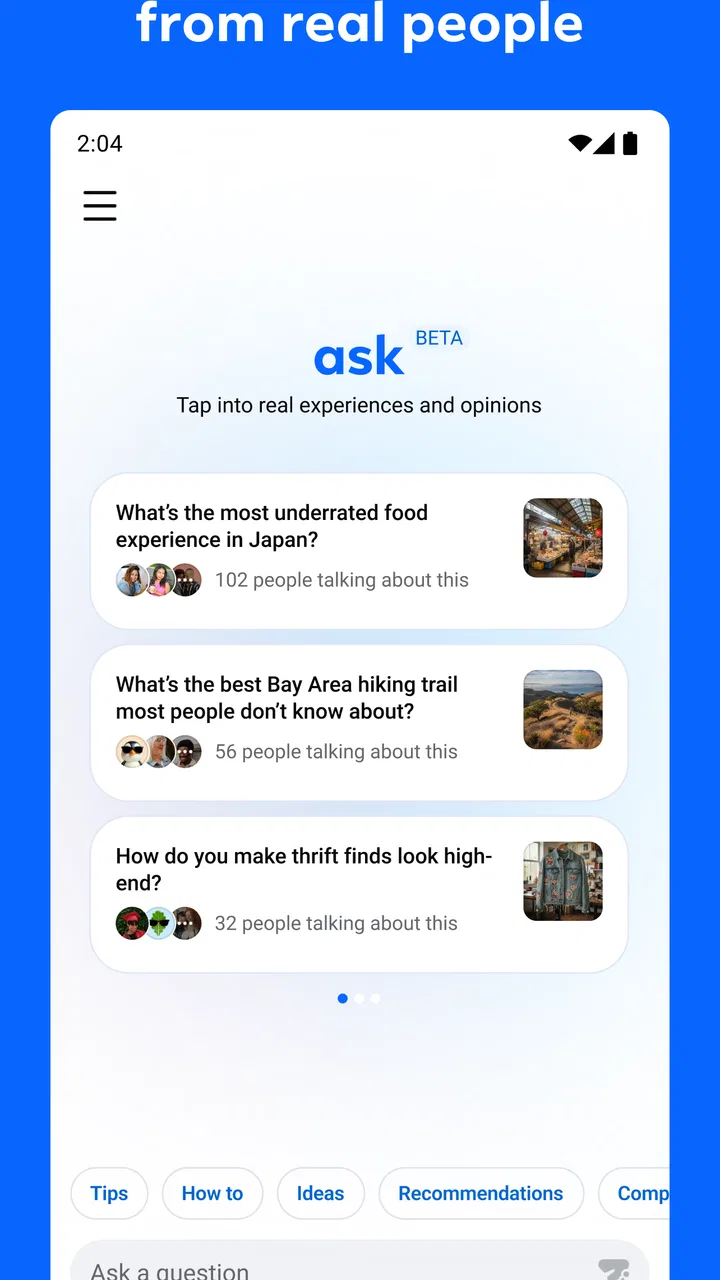
Forum is a focused social app from Meta Platforms, Inc. that gives Facebook groups a more dedicated place to work. I found its appeal less about adding another general-purpose social feed and more about reducing the distance between a group’s conversations, questions, announcements, and everyday coordination. If your Facebook life already revolves around one or more active groups, that narrower purpose can make the experience feel easier to manage.
It is free, aimed at a Teen audience, and currently listed as version 22.0.0.2.108 for devices running Android or iOS 10 and later. The app sits in the social category, with a 4.5 average from around 1.2 thousand ratings and more than 100 thousand installs. Those figures suggest a reasonably positive early reception, although the smaller community footprint means your experience will depend heavily on whether the groups you care about are active there.
How Forum fits into a normal group routine
My most useful way to approach Forum is to treat it as a group workspace rather than a replacement for every part of Facebook. I would open it when I wanted to check conversations from a community, respond to a question, or find an update without first moving through unrelated personal posts. That distinction matters. The app’s value comes from focus, not from trying to become a complete social network on its own.
You May Also Like

 Pandora - Music & Podcasts
Pandora’s Music Is Easy to Start, but Harder to Recover
Pandora’s strength is its low-effort path from a seed to a station. Its weak spot is how much confidence it asks you to place in connection, setup, and quiet recovery.

 AccuWeather: Weather Radar
AccuWeather Review: A Quick, Clear Forecast for Everyday Decisions
For everyday plans, the best forecast is the one you can understand quickly. AccuWeather makes rain timing, radar, and local conditions easy to act on, with a few trade-offs.

 Hill Climb Racing
Why Hill Climb Racing Still Turns Crashes Into One More Run
A tiny car, a bumpy hill and one more upgrade: Hill Climb Racing keeps resurfacing because its simple chaos makes every near-miss feel personal.

 AliExpress - Shopping App
AliExpress Makes Global Shopping Feel Personal, but Shoppers Bear the Risk
AliExpress turns a global marketplace into a pocket-sized discovery engine. Its reach is useful, its shopping loop compelling, and its trade-offs easy to miss.

 Lords Mobile: Kingdom Wars
Lords Mobile Is a Kingdom-Building Routine, Not a Quick Match
A case-by-case verdict on the building, battles, device demands, and social commitments that make Lords Mobile rewarding for some players and exhausting for others.

 PDF Scanner app - TapScanner
TapScanner Makes Paperwork Easier to Capture, Check, and Share
TapScanner makes scanning with a phone feel less like a rescue operation and more like a dependable step in getting work done. Its capture tools are useful, though not flawless.
More From Our News Desk
View All News


A typical everyday scenario is a neighborhood group coordinating a weekend activity. One person can post the basic details, another can ask about timing, and others can add practical replies. Instead of scattering the conversation across private messages and a general feed, the group thread gives everyone a shared reference point. I also find this format useful for hobby groups, parent communities, local clubs, and support-oriented spaces where the same people return to discuss a continuing subject.
The first habit I recommend is deciding what each group is for before you start participating heavily. A group used for announcements should be checked differently from one built around open discussion. In an announcement-focused space, I would scan for important posts and avoid adding unnecessary replies. In a discussion group, I would use the conversation itself to ask follow-up questions and keep useful context together. Forum becomes more effective when I match my behavior to the group’s purpose instead of treating every post as something that needs an immediate reaction.
That approach also answers an important question: is this app useful if I only belong to one group? It can be, especially when that group is busy and you want a cleaner route into it. If the group is quiet, however, a separate app may not change much. The dedicated space cannot create activity that the community does not already have.
Reading before posting saves more time than it seems
One of the easiest mistakes is opening a group and immediately starting a new discussion for a subject that has already been covered. I prefer to scan recent posts first, then search the visible conversation history mentally before writing. Even without turning the experience into a formal filing system, this small pause reduces duplicate questions and makes replies more useful.
For recurring topics, I would keep my own simple routine: read the newest updates, check whether an existing thread answers the question, then post only if something genuinely needs clarification. This is especially helpful in groups where the same practical subjects return regularly. A short, specific post usually works better than a long message that combines several unrelated requests.
Forum is also better suited to group conversation than to private, sensitive exchanges. If a subject needs a small audience or a personal explanation, I would move it elsewhere rather than placing it in a community thread. The app’s dedicated group focus makes shared discussion convenient, but that same openness means I would think carefully about what belongs in a public or semi-public group.
Settings I would check before settling into the app
My first settings check would be notifications. Group apps can become distracting when every reply feels equally urgent. I would review which groups deserve immediate attention and which ones can wait for a manual check. The exact options available can vary by platform and account, so I would look through the notification controls on the device and inside the app rather than assuming that one setting controls everything.
A useful rule is to reserve stronger alerts for groups where timing matters, such as a local coordination group or an active project community. For casual interest groups, I would reduce interruptions and visit when I have time to catch up. This creates a better balance: I remain informed without allowing every new comment to interrupt work, meals, or travel.
I would also review the account and privacy areas before posting regularly. Forum is connected to the Facebook group experience, so it is sensible to understand which account is active and which communities are visible in the app. I would pay attention to the audience shown when composing a post, especially if I move between groups with different levels of familiarity.
Another practical check is language and accessibility. If the device has display or text settings that I rely on, I would confirm that Forum feels comfortable to read before committing to long discussions. A group app can be technically simple but still tiring if dense conversations are difficult to scan. I prefer making those adjustments early, when the app is quiet, rather than trying to solve them during a busy discussion.
The app is free, which removes the most obvious barrier to trying it. That does not mean every user should install it immediately. I would still consider storage, notification habits, and whether my groups actually use the Facebook group environment. Someone who rarely joins group conversations may gain little from a dedicated client, while a frequent group participant has a clearer reason to test it.
Shortcuts and repeatable patterns that improve the experience
The fastest workflow I found is based on repetition rather than clever tricks. I would open Forum at predictable times, review the groups that matter most, answer anything that can be handled quickly, and leave longer discussions for a dedicated block of time. This prevents the app from becoming a constant background task and makes it easier to notice posts that need a thoughtful answer.
I also recommend writing replies with the next reader in mind. In a fast-moving group, a response that begins with the main answer is easier to understand than one that starts with a long explanation. If more detail is needed, I would add it afterward. This is a small habit, but it makes group knowledge easier to reuse later.
For questions, I would include the context another member needs to respond without a long back-and-forth. For example, instead of asking whether anyone knows about an event, I would mention the relevant day, location, and exact problem. That makes the discussion more efficient and reduces the number of replies that simply request missing information.
Another pattern is separating discovery from follow-up. I would use the main group view to find conversations, then stay inside the relevant thread while replying rather than jumping repeatedly between unrelated posts. This keeps my response attached to the right subject and lowers the risk of answering an old question in the wrong place.
When several people are coordinating something, I would encourage one main thread instead of multiple parallel posts. This is not a special feature claim; it is a group-management habit that works particularly well in a dedicated forum-style space. One thread gives late arrivals a better chance of understanding what has already been decided, while scattered posts make the group harder to follow.
Experienced users may also benefit from treating important discussions as temporary working documents. I would summarize decisions in a later reply, correct outdated details clearly, and avoid assuming that everyone saw earlier comments. This is valuable in groups where information changes over time. The app can host the conversation, but the quality of the final record depends on how members maintain it.
Where the dedicated approach is stronger than ordinary Facebook use
Compared with using the standard Facebook app for the same groups, Forum’s strongest advantage is concentration. A general Facebook experience mixes group activity with personal updates and other social content. That can be useful when I want everything in one place, but it also makes group work easier to overlook. A dedicated app gives the group side of my social life a clearer boundary.
That boundary is especially helpful for people who use Facebook mainly for communities rather than personal posting. If I want to check a club discussion without being pulled into unrelated browsing, the narrower purpose feels more intentional. It also encourages a different mindset: I open it with a task in mind, such as catching up, answering, or checking a group update.
The trade-off is that the usual Facebook app remains more convenient for people who move constantly between personal contacts, groups, pages, and other parts of the platform. Installing a separate app adds another place to check. If your social activity is already spread across many Facebook areas, Forum may feel like a useful companion rather than a complete replacement.
It also differs from chat apps in an important way. A group forum is better for conversations that should remain visible to a community and be revisited later. A chat thread is often faster for immediate coordination, but older information can disappear into a stream of messages. I would choose Forum when discoverability and shared context matter more than instant back-and-forth.
Limits that experienced users should understand
The biggest limitation is dependence on community quality. A well-moderated, active group can make Forum feel purposeful. A group filled with repeated posts, unanswered questions, or unclear rules will still feel difficult even inside a dedicated app. Forum can organize access to group conversations, but it cannot replace good moderation or thoughtful participation.
There is also a possible attention cost. A focused app sounds calmer than a broad social feed, yet an active group can generate just as many interruptions if notifications are left unchecked. I would not judge the app’s usefulness until I had adjusted alerts and chosen which groups deserve regular attention. Otherwise, the dedicated space can become another source of digital noise.
Users who need a formal project-management system should be realistic about what Forum is for. It can support discussion and coordination, but I would not use a social group as the sole place for deadlines, structured records, or sensitive operational information. For those needs, a purpose-built collaboration tool may be better. Forum works best when the social conversation is central and the organization requirements remain manageable.
I would also skip it if my main goal is private messaging, broad content discovery, or a single app for every Facebook activity. Its focused design is an advantage only when group participation is the main reason I am opening it. People who rarely read group posts may find the extra installation and separate routine unnecessary.
The Teen content rating is another reminder to use judgment about the communities involved. A rating does not tell me whether every group will suit every person, so I would still consider the tone, subject matter, and membership of each community before participating. That is particularly important for younger users and for anyone joining unfamiliar groups.
My practical verdict after building a routine around it
After using Forum as a dedicated route into group conversations, I see it as a specialized social tool rather than a universal Facebook replacement. Its best quality is the way it gives group activity its own mental space. I can open it with a clear intention, catch up on a community, and leave without necessarily entering the wider social stream.
The app is most convincing for people who regularly participate in active Facebook groups and want a repeatable workflow. I would recommend starting with a small set of communities, reviewing notification behavior, and using one main thread for each ongoing subject. Those habits make a bigger difference than simply installing the app and expecting the interface to solve every group problem.
My recommendation is more cautious for people with quiet groups or very broad Facebook habits. In those cases, the standard Facebook app may be simpler because it keeps everything together. I would also choose another kind of tool when the priority is private conversation, formal task tracking, or highly structured collaboration.
Forum is worth trying when your online life is genuinely group-centered. The free access and modest device requirement make experimentation easy, while the 4.5 average indicates that many early users have found the focused approach worthwhile. For me, its success depends on disciplined settings and consistent group habits: limit interruptions, read before posting, keep related replies together, and treat the app as a community workspace. Used that way, it offers a clearer daily rhythm than relying on a general social feed alone.
Developed by Meta Platforms, Inc., Forum has the right idea for users who want their group conversations to feel less buried. It does not need to replace every social app to be useful. It only needs to make the groups I care about easier to reach, easier to follow, and easier to participate in—and for active communities, that is a meaningful improvement.
FAQs for Forum, a Facebook app
01What is Forum, the Facebook app, and what can I use it for?
Forum is a Facebook-connected social networking app designed to help users discover conversations, share opinions, and interact with communities around common interests. After signing in, you can browse posts, participate in discussions, react to content, and follow topics or people that interest you. Its usefulness depends on the activity and quality of the communities available in your region.
02Do I need a Facebook account to use Forum?
Yes, Forum is intended to work with a Facebook account, so you should expect to sign in through Facebook before accessing its main features. This connection may be used to create your profile, personalize recommendations, and manage social interactions. Before continuing, review the permissions requested during login and make sure you are comfortable sharing the necessary account information with the app.
03Is Forum free to download and use?
Forum can generally be downloaded without an upfront charge, allowing users to explore its basic social features at no initial cost. However, availability of optional purchases, advertising, premium functions, or other paid elements may depend on the version and platform. Check the current Google Play Store or Apple App Store listing for the latest pricing, subscriptions, and in-app purchase details.
04What privacy and safety issues should I consider before using Forum?
Because Forum is connected with Facebook and focuses on user-generated discussions, privacy deserves attention before you create an account. Avoid publishing personal information, private contact details, or sensitive photographs in public conversations. Review Forum’s privacy policy, Facebook account permissions, blocking tools, and reporting options. Also remember that posts and interactions may be visible to a wider audience than expected.
05Does Forum work on both Android and iPhone, and what should I do if it does not work properly?
Compatibility can vary according to the current release, device model, operating-system version, and regional availability. Before downloading, check whether the app is listed for your Android phone or iPhone and confirm that you have enough free storage. If Forum crashes, fails to connect, or displays login problems, update the app, restart your device, verify your internet connection, and reinstall it if necessary.
Pros
- Easy access to Facebook groups
- discussions
- and community updates in one place.
- Convenient tools for discovering conversations based on shared interests.
- Supports multimedia posts
- including photos
- videos
- links
- and reactions.
- Notifications help users stay updated on replies and new community activity.
- Familiar Facebook design makes navigation relatively easy for existing users.
Cons
- Frequent notifications can become distracting
- especially in active groups.
- Content quality varies widely depending on each group’s members and moderation.
- Privacy depends heavily on group settings and Facebook account configuration.
- Some discussions may be repetitive
- promotional
- or dominated by a few users.
- The app may use significant data and battery when browsing media-heavy communities.

Forum, a Facebook app
Gallery